
Party blind test: multiplayer mode
BlindTest Easy’s multiplayer mode is played by a group around a single phone. One person, the MC, runs the previews and awards the points. Here is how to set everything up and how to host a great game.
Play nowFree, in your browser, no account.
What you need
- A phone (or a tablet, or a computer) with an internet connection, to load playlists and previews.
- At least two players.
- An MC: the person who holds the phone, starts the game and awards the points.
- Volume up, or a speaker: everyone has to hear the preview clearly.
Add the players
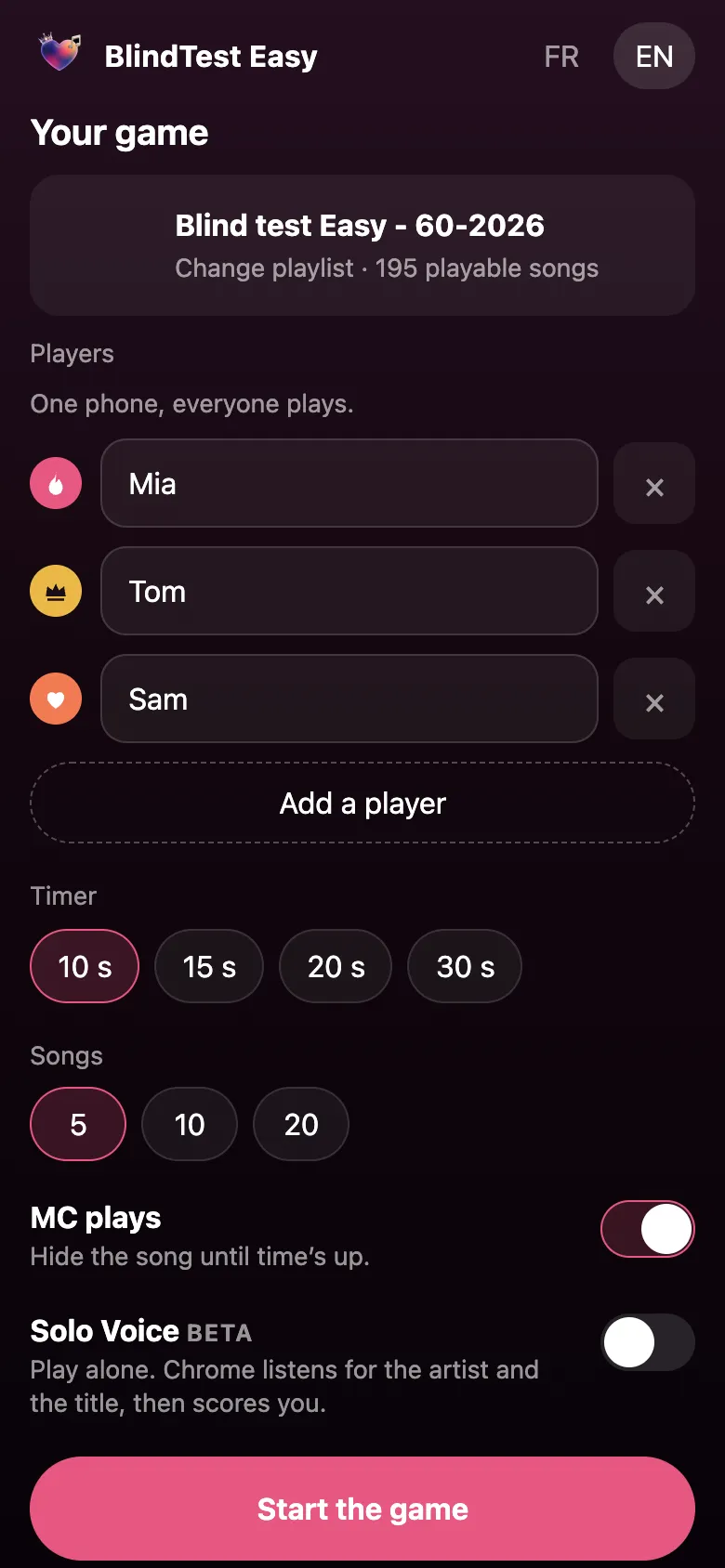
On the Your game screen, each player has a name field. Tap Add a player to create one, or the cross to remove one. Names must be unique: if two players share a name, the game shows “Player names must be unique.” You need at least two.
Each player gets a color and an icon (flame, crown, heart…), reused on the scoreboard so you can read it at a glance. Names stay in your browser: they are not sent to BlindTest Easy.
Pick the timer and the number of songs
The timer sets the thinking time per song: 10, 15, 20 or 30 seconds. Some guidance:
- 10 s: lightning mode, for the experts;
- 15 s: the right balance for most groups;
- 20 to 30 s: more relaxed, great with kids or hard playlists.
The number of songs (5, 10 or 20) sets the length of the game. Five songs make a quick round; twenty songs make a real evening.
The MC’s role
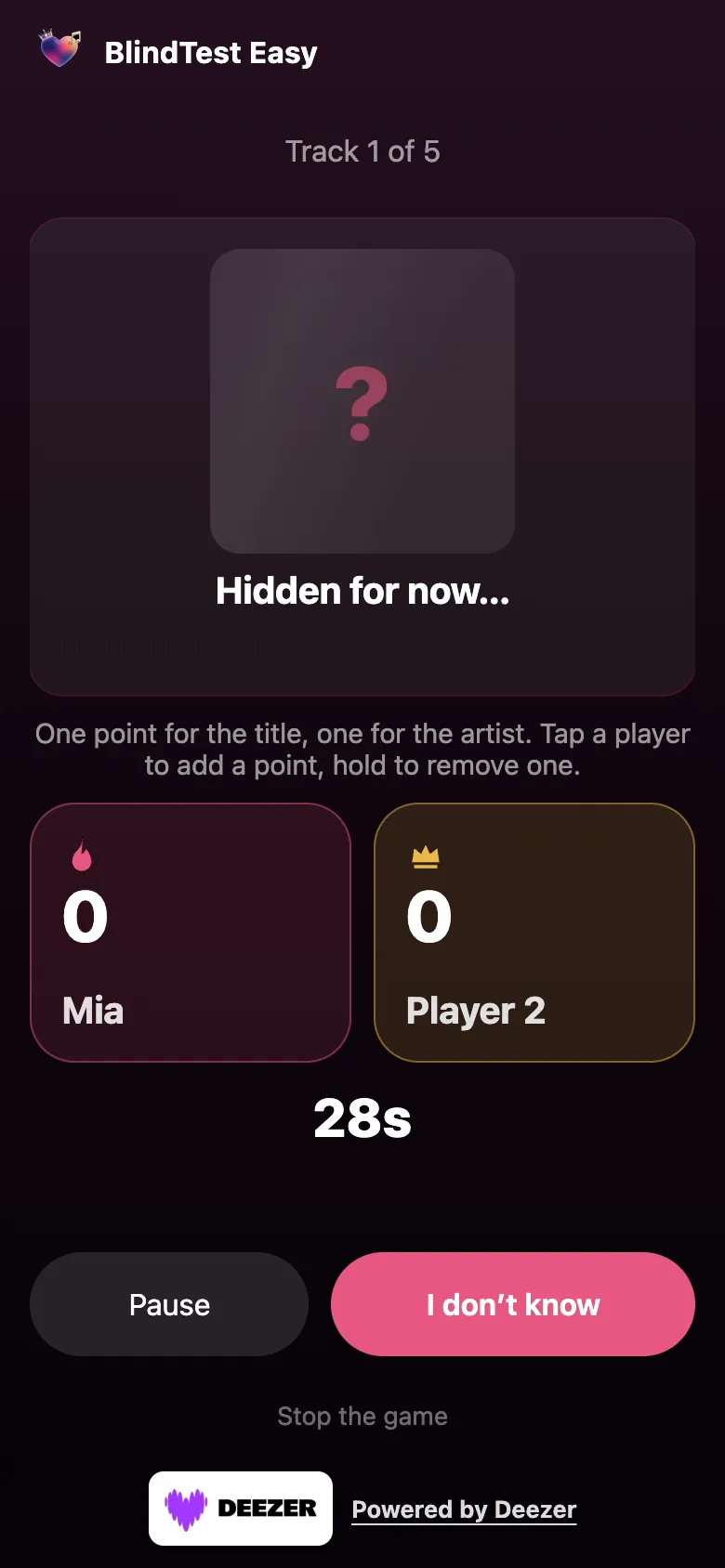
The MC plays option is on by default: it hides the cover, title and artist until time is up. During the preview the screen shows a question mark and Hidden for now…, so nobody has the answer in front of them.
When the timer ends, the song is revealed. The MC listens to the answers given out loud and taps the player who found it:
- 1 point for the title;
- 1 point for the artist;
- so 2 points at most per song and per player.
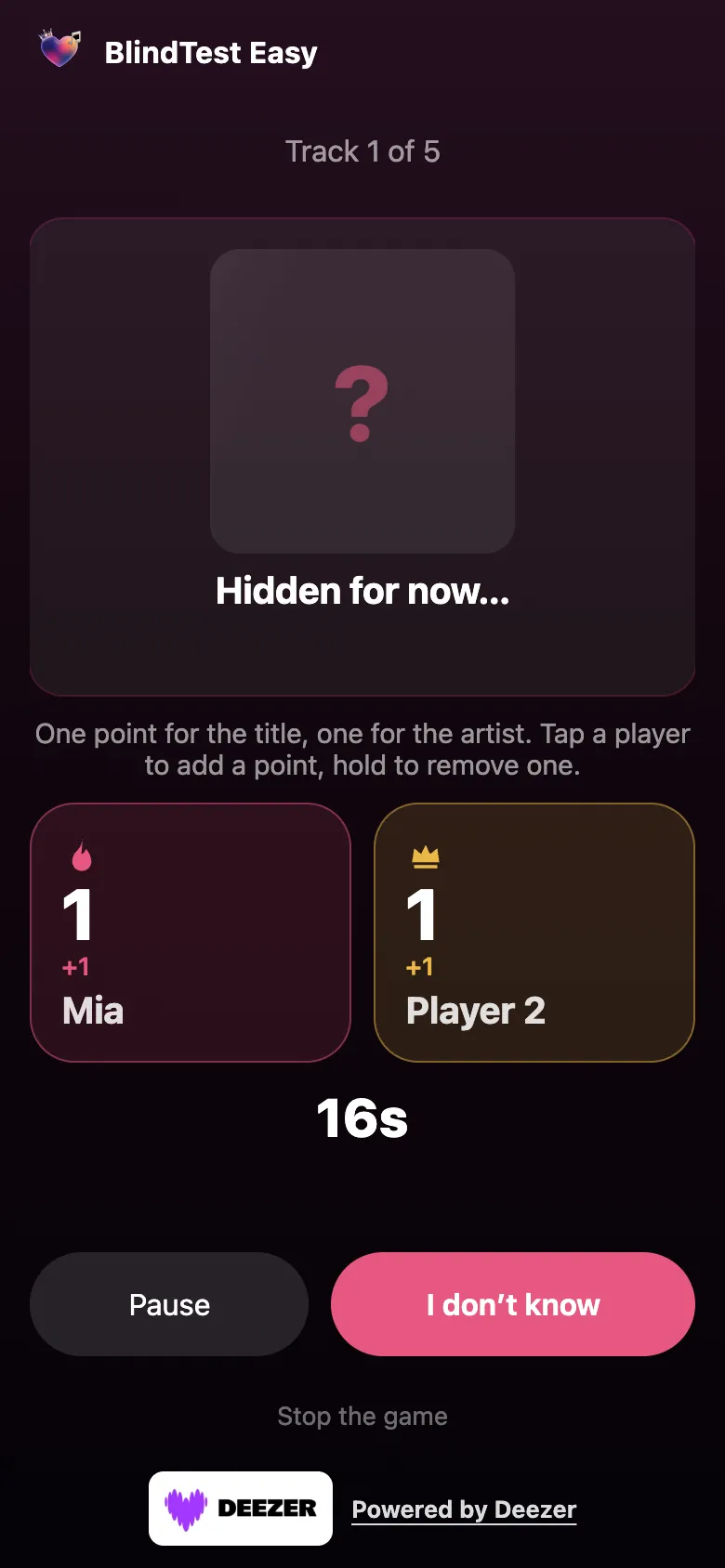
Made a mistake? Press and hold the player to remove a point. Turning MC plays off means the song is no longer hidden: the answer is visible during the preview, which suits relaxed listening.
How a round plays out
- The header shows the current track (Track 3 of 10) and the preview starts.
- The timer counts down. Pause holds the preview, Play resumes it.
- Players give their answers out loud.
- Time’s up: the title and artist are revealed.
- The MC awards the points, then taps Next. I don’t know skips a song before time runs out.
The podium and what next
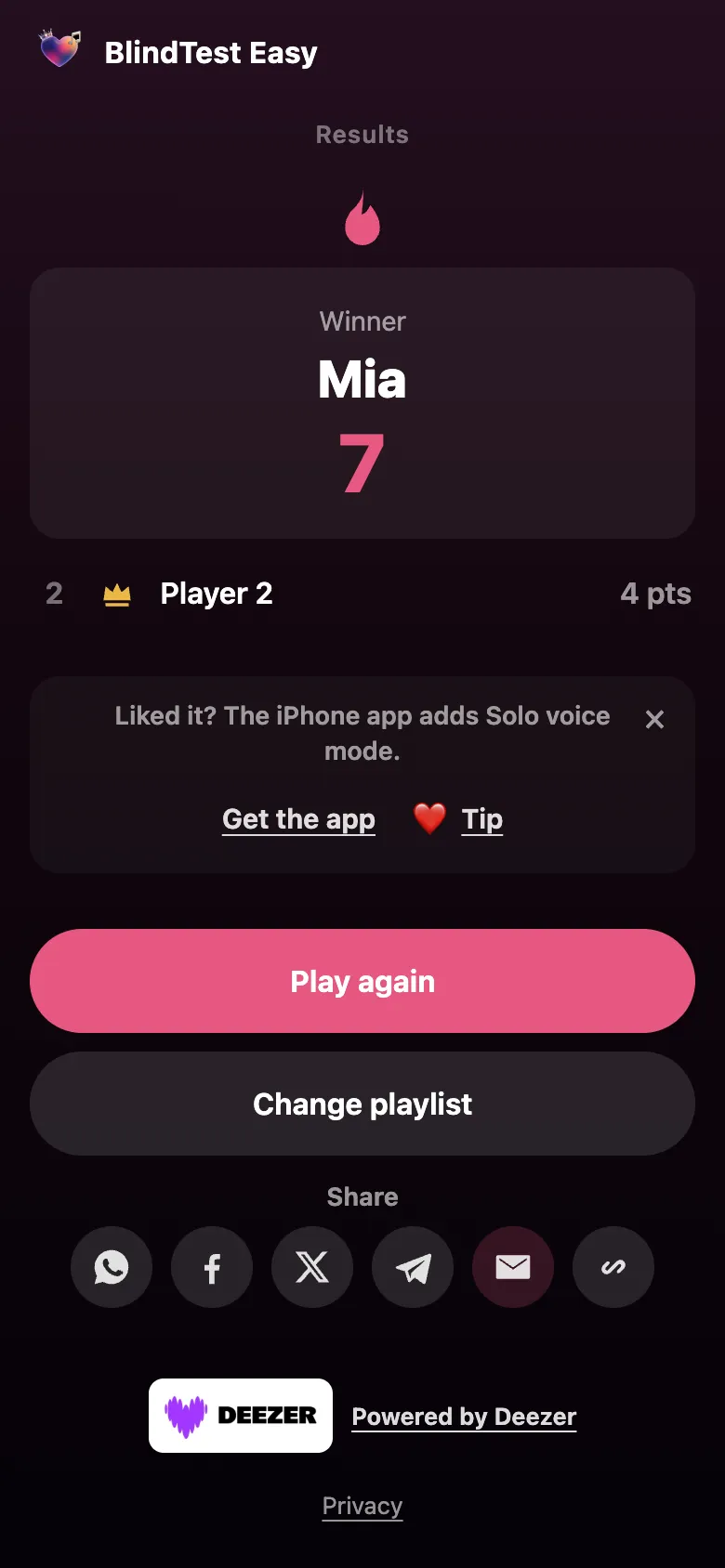
At the end, the Results screen announces the winner or a tie, then the full ranking. Play again restarts with the same players; Change playlist lets you vary the decade. The share buttons send the game link to more friends.
Tips for hosting a blind test night
- Mix the decades: chain an 80s playlist, then the 90s, then current hits with Change playlist.
- Agree on the rule first: title only, artist only, or both for 2 points.
- Play in teams by typing a team name instead of a first name: the game scores per “player”, whether that is a person or a team.
- Keep favorite playlists: tap the heart to find them under My Blind Tests.
- Adjust the timer as the night goes on: shorten it when the group warms up.
On iPhone: even more options
The BlindTest Easy iPhone app includes the party game and adds a choice between Deezer and Apple Music, up to 8 players, 50 songs, and Invite phones: your friends’ phones play the song too, with optional earlier or later timing. The app works from iOS 18.
Frequently asked questions
How many players at minimum?
Two. The game asks for at least two different names before starting.
Can we play in teams?
Yes: type a team name instead of a first name. The MC awards the points to the team that found the answer.
What does the “MC plays” option do?
It hides the cover, title and artist until time is up, so the answer is not visible during the preview.
How do I remove a point given by mistake?
Press and hold the player: that removes one point.
How many points is a song worth?
Up to 2 points per player: 1 for the title and 1 for the artist.
Can we replay with the same players?
Yes, the Play again button on the Results screen starts a new game, and Change playlist lets you vary the music.

Updated