
Solo Voice mode
No friends around, or want to practice? Solo Voice lets you play alone: the preview starts, you say the artist and the title out loud, and the game listens and scores. Here is how to turn it on, how it works and what you need to use it.
Play nowFree, in your browser, no account.
How Solo Voice works
In Solo Voice there is no MC and no other player: you are the only player. For each song you say what you recognize: the artist, the title, or both. The game listens to your voice and awards points automatically:
- 1 point for the artist when it is recognized;
- 1 point for the title when it is recognized;
- special stamps reward very fast answers (see below).
You do not have to be perfect: the game compares what you say with the song’s title and artist and tolerates small pronunciation differences.
On the web: the beta in Google Chrome
Solo Voice on the website is a beta and is available only in Google Chrome. In other browsers the option does not appear.
- Open the game in Chrome, tap Play now and choose a playlist.
- On the Your game screen, turn on the Solo Voice switch (beta). The game switches to a single player.
- The first time, the game downloads what it needs to listen to you (Downloading listening…, with a percentage). This can take a moment depending on your connection.
- Allow microphone access when Chrome asks.
- Tap Start the game, listen to the preview and say the artist and the title out loud.
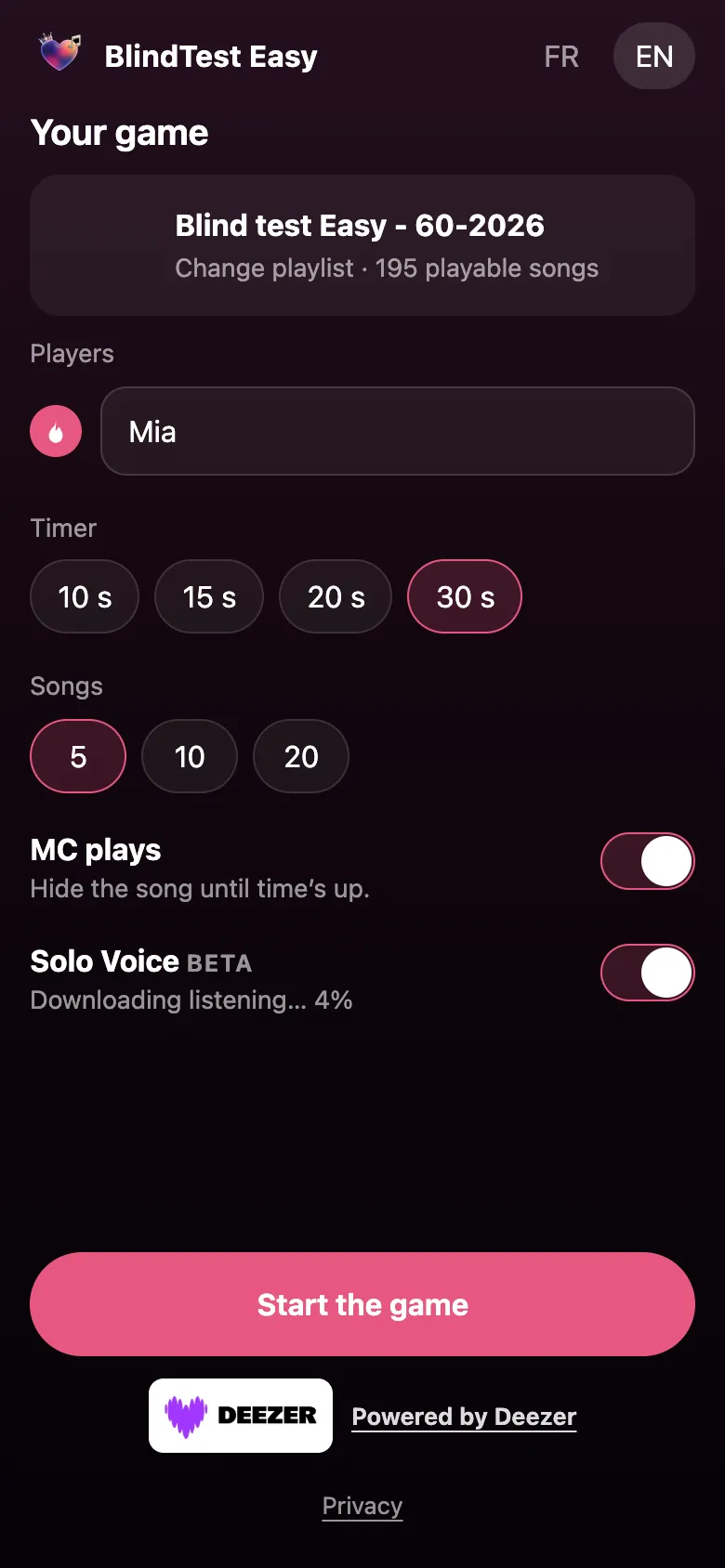
During the game, the app shows the mic state (Speak now). If the mic picks up very little, it asks you to speak closer. If voice recognition does not suit you, Play with buttons lets you score yourself with the Artist +1 and Title +1 buttons.
FLASH and Double hit
Solo Voice rewards speed:
- FLASH: you recognize the artist or the title in under 5 seconds, and a stamp appears on screen;
- Double hit: you find the artist and the title by voice in under 5 seconds.
At the end, a message sums up your game, for example You’ve got the ear!, Well played! or Some great discoveries!, with the number of flashes and double hits you earned.
On iPhone: the full Solo Voice mode
The BlindTest Easy iPhone app offers Solo Voice as a game mode of its own (the Play solo with your voice button on the home screen). Speech recognition runs on the device. Solo Voice requires iOS 26 or later; the rest of the app works from iOS 18.
Tips so the game understands you
- Play in a quiet room: background noise gets in the way of listening.
- Speak clearly and close to the mic.
- Lower the preview volume a bit if the mic hears the music rather than your voice.
- Say the artist and the title the way you know them, without long sentences.
- When in doubt, use Play with buttons.
Microphone and privacy
The microphone is only used in Solo Voice. If you accept anonymous statistics, Solo Voice (beta) also sends the artist, the title and the phrase that was heard to help improve recognition; if you decline, none of that is sent. You can change this at any time in Settings. Details are in the game’s Privacy section.
Frequently asked questions
Does Solo Voice work in every browser?
No. On the web it is a beta available only in Google Chrome. On iPhone it is built into the app and requires iOS 26 or later.
Do I have to allow the microphone?
Yes, Solo Voice needs the microphone to listen to you. Without it, use the Play with buttons option.
What does FLASH mean?
A FLASH is awarded when you recognize the artist or the title in under 5 seconds.
What does Double hit mean?
A Double hit is awarded when you find both the artist and the title by voice in under 5 seconds.
Why does Solo Voice download something?
On the web, it downloads what it needs to listen to you the first time, with a progress percentage. After that it is ready faster.
Can I play alone without using my voice?
Yes: the Play with buttons option lets you score the artist and the title yourself.

Updated